Every Indian tour operator starts with a spreadsheet. It's free, it's familiar, and for a 3-vehicle operation it genuinely works. But somewhere between vehicle number 8 and vehicle number 15, spreadsheets stop being a tool and start being a liability — one that silently costs you money every single month.
This guide breaks down exactly where that cost comes from, puts numbers to it, and explains what fleet management software gives you that Excel never can.
The Spreadsheet Trap: Why Operators Stay Too Long
Spreadsheets feel free. But "free to use" and "free to operate" are very different things. The true cost of running a 15–30 vehicle fleet on Excel is embedded in three places most operators never measure:
- Staff hours spent entering, cross-checking, and correcting data
- Revenue lost to billing errors and delayed invoices
- Fines and penalties from missed compliance deadlines
The reason operators stay on spreadsheets longer than they should is that the costs are invisible. Nobody sends you an invoice that says "₹12,000 lost this month to manual billing delays." The losses are spread across dozens of small failures, each easy to write off.
7 Hidden Costs of Managing Your Fleet on Spreadsheets
1. Document Expiry Fines
A spreadsheet can hold expiry dates. It cannot alert you proactively. In a fleet of 20 vehicles, each carrying 6–8 documents (insurance, permit, fitness, pollution certificate, etc.), that's 120–160 deadlines to track manually. Miss one fitness certificate renewal, and you're looking at a ₹5,000 fine under the Motor Vehicles (Amendment) Act 2019 — plus potential vehicle detention mid-trip.
Operators who've switched from spreadsheets consistently report that automated expiry alerts alone justify the cost of fleet software within the first three months.
2. Billing Delays and Revenue Leakage
Manual billing from spreadsheet data introduces two problems: delay and error. When a duty slip has to be filled manually, cross-referenced against a log, and then typed into an invoice, the cycle takes 2–4 days per trip. Meanwhile, the client has moved on mentally and payment follow-ups become awkward.
More critically, manual processes miss billable extras — waiting charges, toll reimbursements, extra kilometres — because they aren't systematically captured. A 5% billing leakage on a ₹50 lakh annual revenue operation is ₹2.5 lakh left on the table every year.
3. Fuel Monitoring Gaps
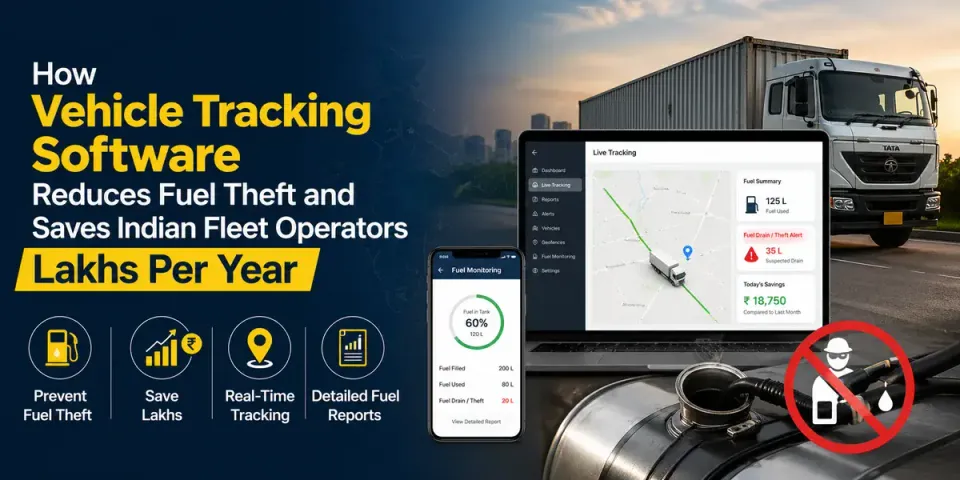
Without GPS-verified mileage cross-referenced against fuel fill-ups, fuel expense claims are accepted on trust. Industry estimates put undocumented fuel leakage in manual-ops fleets at 8–15% of total fuel spend. For a 20-vehicle fleet spending ₹8 lakh per month on fuel, that's ₹64,000–₹1.2 lakh lost monthly.
No spreadsheet can catch this. See: How Vehicle Tracking Software Saves Indian Fleets Lakhs Per Year.
4. Coordinator Hours on Data Entry
A manual operations coordinator for a 20-vehicle fleet typically spends 3–4 hours per day on data entry, status checks, and report compilation. At ₹25,000/month salary, that's roughly ₹6,250/month spent on work that fleet software eliminates — not counting errors introduced through fatigue or distraction.
5. Last-Minute Driver No-Shows
WhatsApp-and-spreadsheet assignment workflows fail because there's no acknowledgement loop. A driver who doesn't see a message (or claims not to) creates a last-minute scramble. Fleet software with app-based assignment confirmation and automated reminders reduces no-shows dramatically — directly protecting client satisfaction and repeat bookings.
6. Version Conflicts and Data Errors
The moment two people edit the same spreadsheet, you have a version problem. Shared Google Sheets help but don't eliminate overwrite risks, formula breakage, or the confusion of multiple "master copies." A single data error — assigning the same vehicle to two trips — can cause a client-facing failure that no refund fully recovers.
7. No Audit Trail for Disputes
When a client disputes a bill or an insurance company asks for trip records, a spreadsheet gives you nothing. Fleet management software automatically builds a timestamped audit trail — every trip, every driver action, every expense — that resolves disputes and supports insurance claims with hard evidence.
Side-by-Side Comparison: Fleet Software vs Spreadsheets
Key insight: Spreadsheets require your team to do the work. Fleet software does the work so your team can focus on clients and growth.
Here's what the comparison looks like across the functions that matter most for Indian tour operators:
- Document expiry alerts: Manual calendar entries vs. automated 30/15/7-day notifications
- Trip assignment: WhatsApp messages + spreadsheet update vs. in-app dispatch with driver confirmation
- GPS tracking: Phone call or message vs. real-time map view from any device
- Duty slip generation: 20–30 minutes manual vs. auto-generated from trip data
- Fuel monitoring: Submitted receipts accepted on trust vs. GPS-verified cross-check
- GST invoicing: Manual entry into Tally/Excel vs. auto-populated from trip records
- Reporting: Hours of manual compilation vs. on-demand dashboards
- Audit trail: None vs. full timestamped history for every action
When Is the Right Time to Switch?
There's no perfect moment, but there are clear signals that spreadsheets are holding you back:
- You've had a billing error or document fine in the last 90 days
- Your operations coordinator spends more than 2 hours a day on manual data entry
- You've experienced a driver no-show due to miscommunication
- You're scaling beyond 10 vehicles and can feel the coordination overhead growing
- You've lost a client to a competitor who offered live trip tracking
If two or more of those apply, the cost of staying on spreadsheets is already exceeding the cost of a fleet software subscription.
How the Transition Works in Practice
Operators often delay switching because they're worried about migrating data and retraining staff. In reality, the transition is far simpler than expected:
- Export your existing vehicle and driver data from the spreadsheet (CSV import handles this)
- Load documents and expiry dates into the vehicle registry
- Install the driver app on each driver's existing Android phone
- Run one week in parallel — software and spreadsheet simultaneously — to validate accuracy
- Retire the spreadsheet at the end of the parallel week
A cloud-based fleet platform for a 20-vehicle operation can typically go live in 5–7 business days with no IT infrastructure required. See: Best Fleet Management Software in India (2026 Guide).
Quick ROI Calculation for a 20-Vehicle Fleet
Here's a conservative estimate of annual savings from switching to fleet software on a 20-vehicle operation:
- Avoided document fines: ₹40,000–₹80,000
- Reduced fuel leakage (8% of ₹80L annual fuel): ₹6,40,000
- Recovered billing leakage (3% of ₹60L revenue): ₹1,80,000
- Coordinator time savings (10 hrs/week at ₹150/hr): ₹78,000
Conservative total annual saving: ₹9,38,000+ against a typical software cost of ₹1,50,000–₹2,40,000 per year for 20 vehicles. That's a 4–6× return in the first year alone.
Frequently Asked Questions
Is a spreadsheet ever good enough for fleet management?
For a fleet of 1–5 vehicles with simple, predictable routes, a well-maintained spreadsheet can work. Beyond that, the coordination complexity and compliance risk outpace what manual systems can reliably handle. Most Indian tour operators find that 8–12 vehicles is the tipping point where software becomes clearly cost-justified.
How much does fleet management software cost compared to maintaining spreadsheets?
Fleet management software in India typically costs ₹500–₹1,500 per vehicle per month. For a 20-vehicle fleet, that's ₹10,000–₹30,000 per month. By contrast, the hidden cost of spreadsheets — in fines, fuel leakage, billing errors, and coordinator time — typically runs ₹50,000–₹1,00,000+ per month for the same fleet size.
How do I migrate vehicle data from spreadsheets to fleet software?
Most fleet platforms accept CSV imports for vehicle and driver records. The process typically takes a few hours for a 20-vehicle fleet: export your spreadsheet to CSV, map columns to the software's fields, and import. Document scans can be uploaded individually or in bulk. A good vendor will provide an onboarding session to walk you through this.
How long does it take to train staff on fleet management software?
Operations coordinators typically need a 2–4 hour training session to handle day-to-day dispatch, trip management, and reporting. Drivers need 30–60 minutes to learn the driver app for trip confirmation and expense logging. After a 1-week parallel run alongside the old spreadsheet, most teams are fully comfortable.
Further Reading
- Best Fleet Management Software in India (2026 Guide)
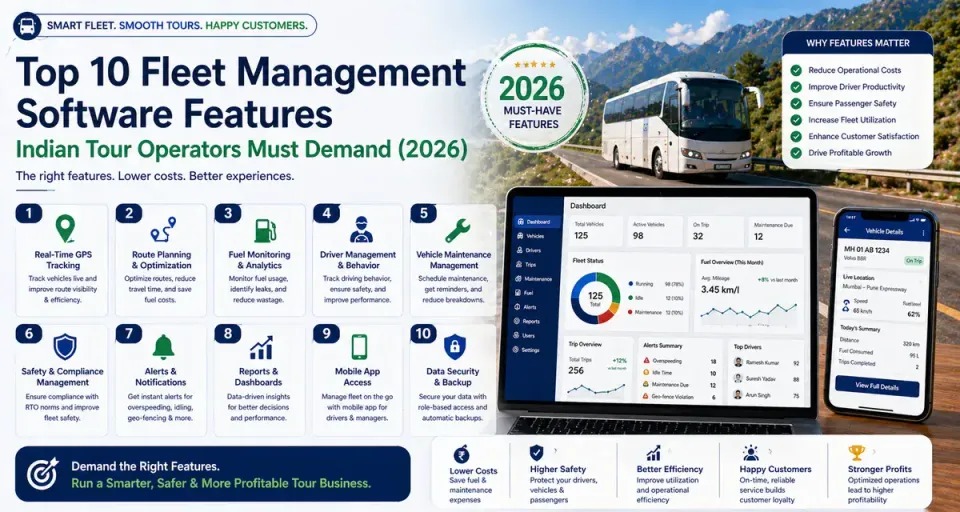
- Must-Have Fleet Management Software Features for Indian Operators
- How Vehicle Tracking Software Saves Indian Fleets Lakhs Per Year
Next Steps
The best way to see how fleet software replaces your spreadsheets is a live demo using your own data. Track My Tour is built specifically for Indian tour operators — not adapted from logistics software. Book a free 30-minute demo and we'll walk you through a complete trip cycle from assignment to invoice, using your vehicles and drivers.