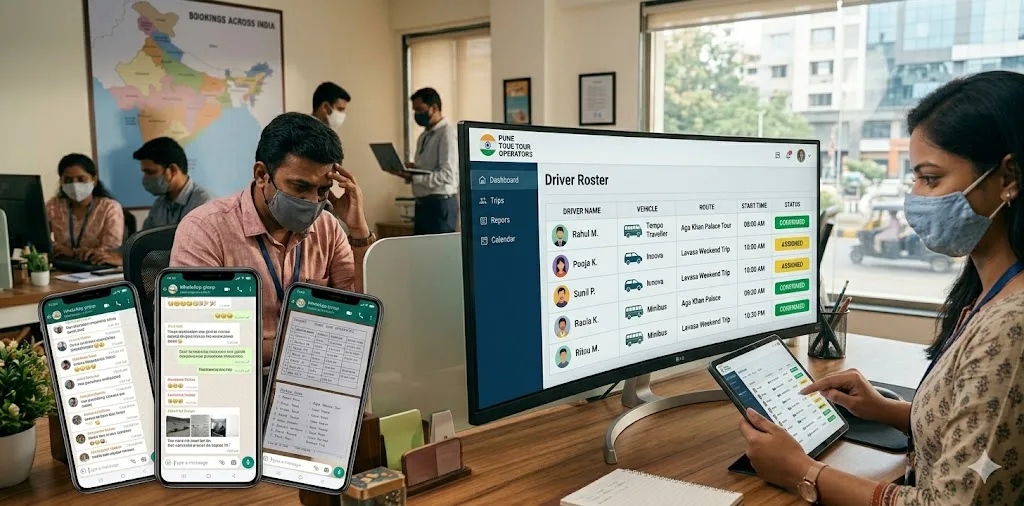
For most Indian tour operators, driver scheduling is the daily operational task that consumes the most coordinator time and creates the most operational risk — and it's almost always managed on WhatsApp. A coordinator sends a message to a group of 30 drivers at 8 PM: "Need a sedan driver for tomorrow 6 AM airport pickup, Juhu to BKC." Seven drivers respond. The coordinator picks one, confirms via WhatsApp message, and hopes the driver sees it and shows up. That's the system. Driver scheduling software exists to replace every assumption in that workflow with a structured, auditable process that doesn't depend on a coordinator's memory or a driver's WhatsApp notification.
This guide covers what driver scheduling software does, why WhatsApp fails as a scheduling system at scale, the features that actually matter for Indian tour operations, and how to implement a roster system without losing drivers in the transition.
What Is Driver Scheduling Software?
Driver scheduling software is a platform that manages the complete workflow of driver roster management: maintaining driver availability records, matching trip requirements to available drivers, delivering trip assignments via driver app push notification, collecting digital confirmations, managing shift patterns and leave requests, and generating the payroll data that flows from completed trips.
Quick Answer: Driver scheduling software replaces WhatsApp-based driver coordination with a system where drivers mark their own availability in an app, coordinators assign trips to available drivers in seconds, drivers receive mandatory digital confirmations that require acknowledgement, and every assignment is logged with timestamps for accountability and payroll. No-shows become visible failures with a paper trail — not silent gaps discovered at 5 AM.
For Indian tour operators, driver scheduling is inseparable from vehicle scheduling. A trip assignment isn't complete until you've assigned both a vehicle and a confirmed driver — and the scheduling system must prevent double-assignment of drivers across overlapping trips, the same way it prevents double-booking of vehicles. Platforms that handle only driver scheduling (without vehicle scheduling) create two separate systems that coordinators must manually reconcile.
Why WhatsApp Fails as a Driver Scheduling System
WhatsApp is an excellent messaging tool. It is a terrible scheduling system. The problems compound as fleet size grows:
No Visibility Across Coordinators
If three coordinators are managing driver assignments separately — each with their own messages and confirmations — there's no single view of which drivers are already committed. A coordinator who doesn't know Driver A was already confirmed for a 7 AM pickup might assign the same driver for a 6:30 AM job on the other side of the city.
No Mandatory Acknowledgement
Sending a WhatsApp assignment to a driver is not the same as the driver receiving and reading it. Message delivered ≠ message read ≠ driver informed ≠ driver confirmed. The blue ticks tell you the message was opened; they don't tell you the driver understood and accepted. A driver who sees a message at 11 PM, puts the phone down, and forgets by morning is indistinguishable from a driver who never saw the message — until they don't show up.
No Audit Trail for Disputes
When a driver disputes a payroll deduction ("I was never assigned that trip"), or a client disputes a charge ("I was told the driver was confirmed but no one showed up"), the WhatsApp history is the only evidence. Searching through months of messages across multiple group chats is impractical and incomplete. Driver scheduling software logs every assignment, every driver response, every schedule change, and every trip completion with timestamps — creating a searchable, complete audit trail.
No Structure for Advance Scheduling
WhatsApp scheduling is inherently reactive — you broadcast a need when it arises, collect responses, and confirm. For trips booked 3–7 days in advance (the majority in tour operations), this means a coordinator must remember to re-confirm driver assignments the evening before each trip. Driver scheduling software maintains standing assignments for future trips that persist without re-confirmation — coordinators set it once; the system manages the reminder chain automatically.
Key Features of Driver Scheduling Software for Indian Tour Operators
1. Driver Availability Management
Drivers should be able to mark their own availability — available, unavailable, on leave — through the driver app for any day up to 30 days in advance. This gives coordinators accurate, up-to-date availability data without phone calls. Leave requests submitted through the app are visible instantly to coordinators, who can approve or deny them through the dashboard with an automatic notification sent back to the driver. Recurring shift patterns (Driver A always works morning shifts; Driver B is only available on weekends) should be configurable as standing preferences that pre-populate the scheduling calendar.
2. Smart Assignment and Matching
When a coordinator creates a trip assignment, the system should surface only the drivers who are: available during the trip window, authorised for the required vehicle type, not already assigned to an overlapping trip, and located (or deployable) for the pickup location. Coordinators should be able to confirm an assignment with two clicks — not navigate to multiple screens to verify each condition manually. The matching logic prevents human error in the most common assignment failure: confirming a driver who is already booked for a different job.
3. Push Notification and Mandatory Confirmation
Trip assignments must be delivered to the driver app as push notifications with trip details — vehicle, pickup, drop, time, passenger contact — and require explicit in-app confirmation before the assignment is marked "confirmed" in the coordinator dashboard. If the driver doesn't confirm within a configurable time window (typically 30–60 minutes), the coordinator receives an escalation alert and the assignment is flagged as "pending confirmation." Unconfirmed assignments do not disappear from the coordinator's view — they remain visible until resolved. This is the most important difference between WhatsApp scheduling and software scheduling: silence is visible as a problem, not silently accepted as confirmation.
4. Shift Patterns and Recurring Schedules
For operations with regular corporate accounts — IT park shuttles, hotel airport transfers, standing daily transfers — scheduling the same driver for the same recurring trip should take one setup action, not daily re-confirmation. Recurring schedule templates let coordinators configure "Driver A for the 7 AM Hinjewadi shuttle, Monday–Friday" once, and the assignment propagates automatically each week unless modified. Changes propagate forward and notify the driver automatically.
5. Payroll Data Generation
At month-end, driver scheduling software should generate a complete payroll summary per driver: trips completed, trips declined or cancelled, nights away from base, waiting time logged, fuel and toll expenses submitted and approved. This data feeds directly into payroll calculation, eliminating the 2–3 day manual reconciliation process of cross-referencing WhatsApp records, paper logs, and call records. The accuracy of software-generated payroll data reduces driver payment disputes by eliminating the "I completed that trip but it's not in the records" problems that arise from manual reconciliation. See: Driver Management Software India: Complete Guide.
How to Transition Drivers from WhatsApp to a Scheduling App
The most common implementation failure for driver scheduling software is driver resistance — particularly among experienced drivers who are comfortable with the WhatsApp status quo. The transition plan matters as much as the software choice:
- Start with your most tech-comfortable drivers: Identify 5–8 drivers who already use smartphones confidently and trial the app with them first. Their peer endorsement is more persuasive than management mandates.
- Run parallel for 2 weeks: Send assignments through both WhatsApp and the app simultaneously for the first two weeks. Drivers who respond only via WhatsApp can still execute trips; coordinators track which drivers are engaging with the app.
- Frame it as a benefit, not surveillance: Drivers who log trips through the app get faster, more accurate payroll; disputes over "that trip isn't in the records" go away; expense claims are processed within 48 hours rather than waiting for month-end. These are driver-friendly outcomes.
- Hard cutover at week 3: New trip assignments go only through the app. WhatsApp is no longer the assignment channel. Provide a dedicated support contact for drivers who need help in the first week.
Frequently Asked Questions
What is driver scheduling software?
Driver scheduling software is a platform that manages driver roster management for fleet operations: driver availability tracking, trip assignment with push notification delivery, mandatory digital confirmation, shift pattern management, leave request workflows, and payroll data generation. For Indian tour operators, it replaces WhatsApp groups and phone-based scheduling with a structured system where every assignment is confirmed, tracked, and logged — eliminating the no-shows and scheduling conflicts that come from WhatsApp's non-mandatory, non-auditable workflow.
Why is dedicated scheduling software better than WhatsApp for driver management?
WhatsApp lacks three capabilities that driver scheduling software provides: mandatory assignment acknowledgement (blue ticks ≠ confirmed), cross-coordinator visibility (one shared system vs. multiple individual conversations), and audit trail (searchable, timestamped assignment history vs. chat scroll). These gaps are manageable at 5 drivers; they create operational failures at 20+ drivers. Driver scheduling software makes double-assignment impossible, no-shows traceable, and payroll reconciliation automatic — none of which WhatsApp can do regardless of how carefully coordinators manage their messages.
What if our drivers are not comfortable with smartphone apps?
Driver app interfaces designed for Indian fleets prioritise simplicity over feature richness: large buttons, minimal text, visual trip status indicators, and single-screen workflow. Drivers with basic smartphone literacy — enough to use WhatsApp — can be trained on the driver app in a 15-minute session. The most effective training approach is a group session where drivers practise the complete trip workflow (accept assignment → start trip → log fuel → end trip) on a test device before using it live. Drivers who can see how the app simplifies their own workflow — faster expense reimbursement, no disputed payroll calculations — adopt it faster than drivers who are just told to use it.
At what fleet size does driver scheduling software become necessary?
WhatsApp scheduling typically starts failing reliably around 15–20 drivers, when multiple coordinators begin managing assignments simultaneously and cross-coordinator visibility becomes essential. However, the payroll reconciliation and audit trail benefits are valuable even at 8–10 drivers — particularly for operators who have experienced a driver dispute or a significant no-show in the past year. If your operation has had any of the following in the last six months — a double-assigned driver, a disputed payroll calculation, a no-show with no paper trail, or a coordinator who is the single point of failure for the scheduling system — scheduling software is overdue.
Does driver scheduling software integrate with vehicle tracking?
It must — and this is the most important integration requirement for Indian tour operators. When a driver is assigned to a trip and starts it through the app, GPS tracking should begin automatically for the assigned vehicle. The live location should be visible in the coordinator dashboard against the trip record. Trip completion through the app should automatically trigger duty slip generation and payroll data update. If driver scheduling and vehicle tracking are separate systems that don't share this data automatically, coordinators must manually reconcile two records for every trip — eliminating much of the efficiency benefit.
Further Reading
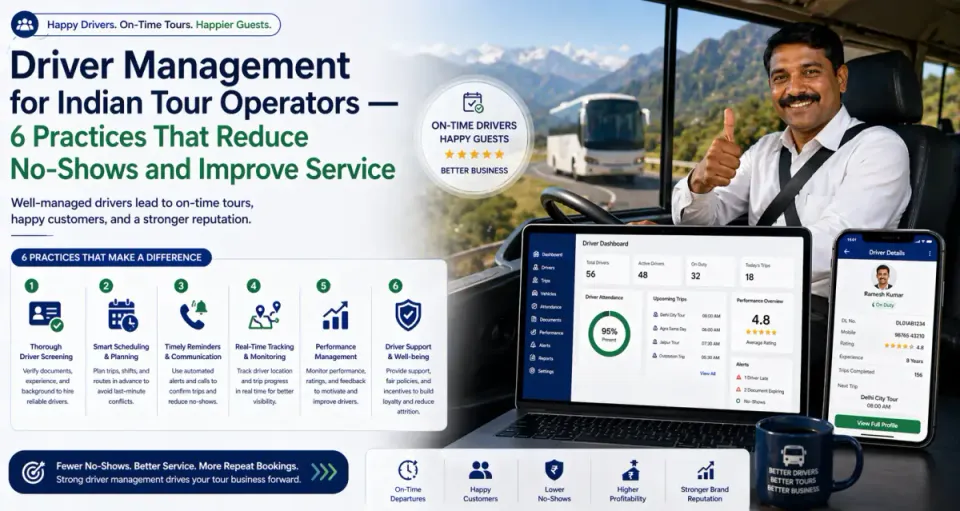
- Driver Management for Indian Tour Operators: 6 Practices That Reduce No-Shows
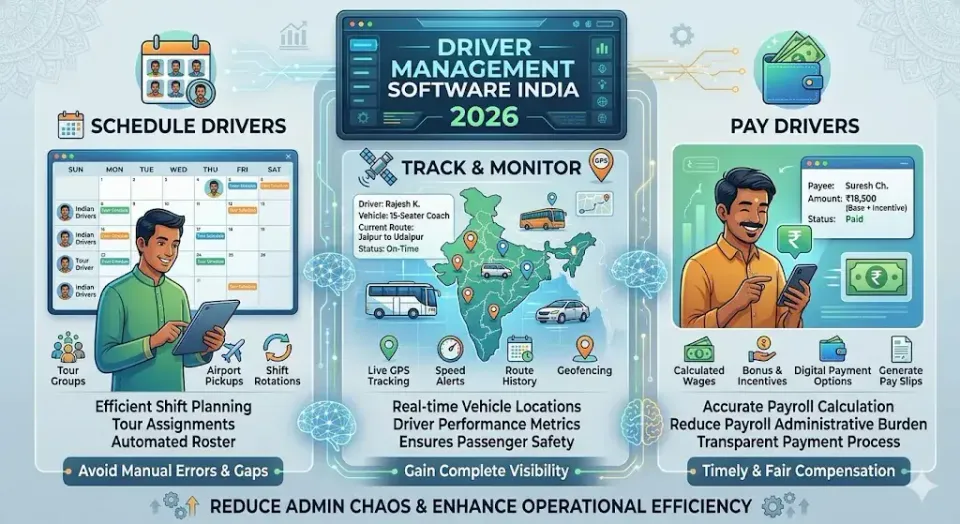
- Driver Management Software India: Schedule, Track & Pay Your Drivers
- Best Fleet Management Software in India for Tour Operators (2026)
- How GPS Vehicle Tracking Works for Indian Fleet Owners
Replace Your WhatsApp Roster in 7 Days
The fastest path to validating driver scheduling software is a live demo with one of your coordinators and a real driver — not a canned demo scenario. Have your coordinator assign a trip, watch the driver receive the push notification and confirm in the app, and see the assignment appear in the dashboard with a timestamp. That 10-minute test tells you more than a 60-minute feature presentation.
Track My Tour's driver scheduling module integrates directly with vehicle tracking, duty slip generation, and payroll data — purpose-built for Indian chauffeur-driven fleet operations. Book a free 30-minute demo and we'll build the scheduling workflow around your driver structure and trip types.